Free first day of school signs for every grade
The collection above includes Preschool, Pre-K, Kindergarten, 1st Grade, 2nd Grade, 3rd Grade, 4th Grade, 5th Grade, 6th Grade, 7th Grade, 8th Grade, 9th Grade, 10th Grade, 11th Grade and 12th Grade. For a Senior Year heading, homeschool group or a different class name, choose the blank grade sign and enter your own wording.
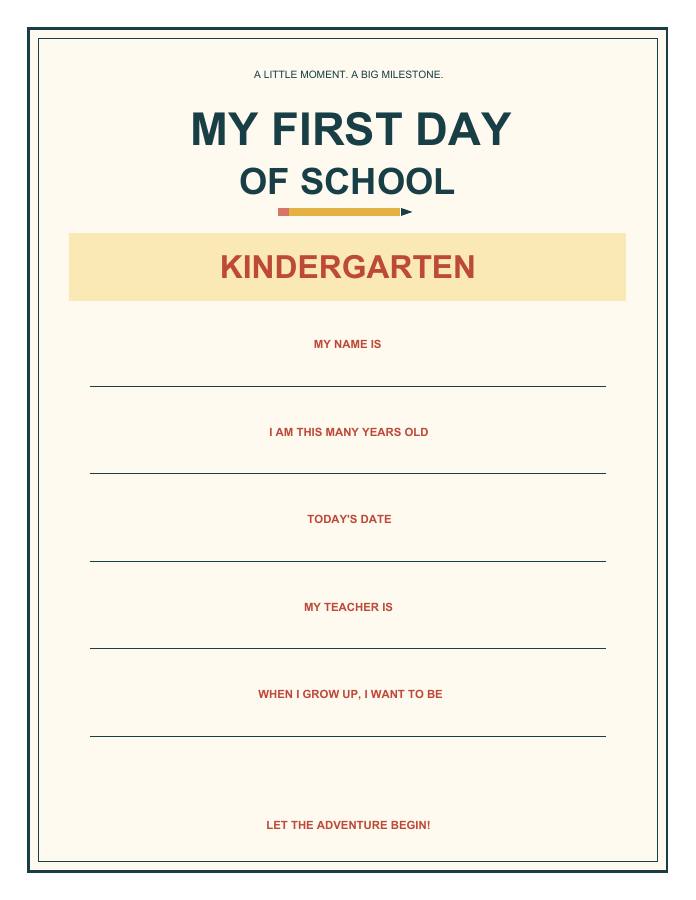
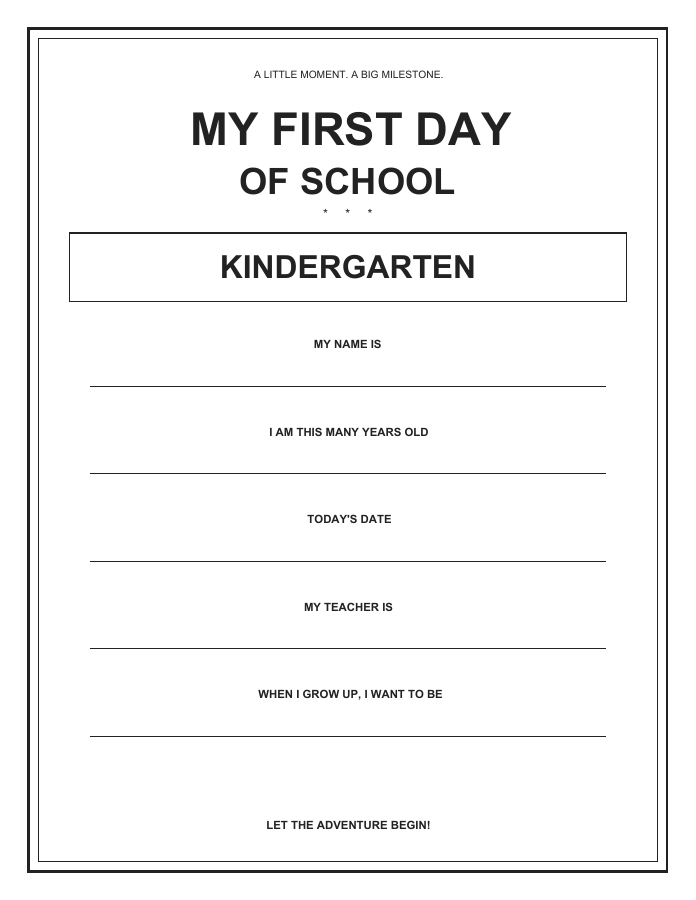
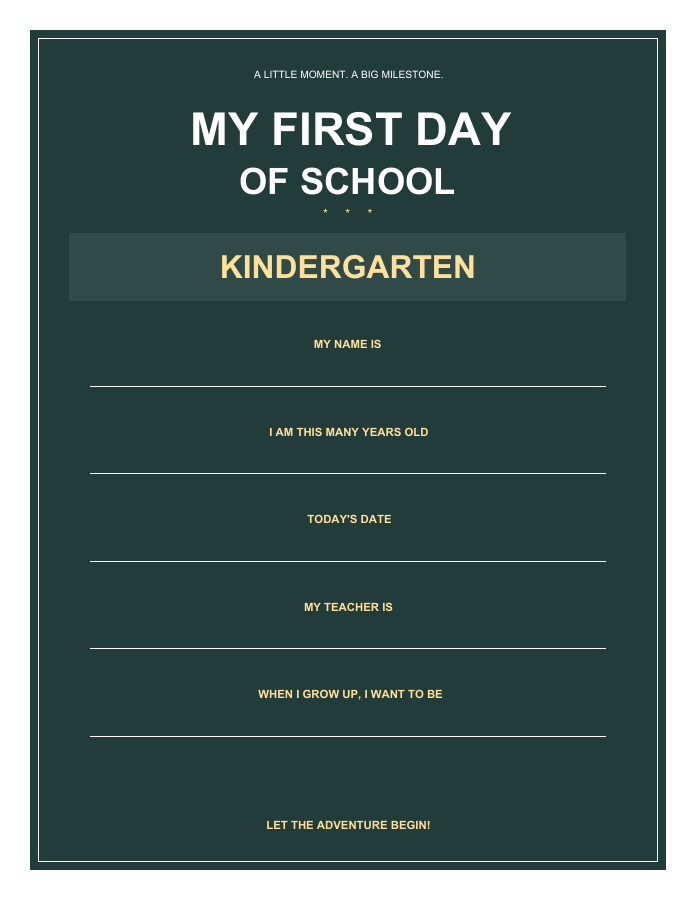
Select your child's grade and paper size, then choose Pencil & sunshine, Minimal black & white or Classroom chalkboard. Each card shows a preview rendered from the downloadable PDF. Open the full PDF preview for a closer look, or use Download PDF to save the one-page sign immediately. The all-grades sets contain 16 pages each, including a blank grade page, so teachers and families can prepare several signs at once.
Fill in your sign or print a blank copy
Every sign has interactive fields for your child's name, age, date, teacher and what they want to be when they grow up. Download the PDF and open it in a viewer that supports PDF forms. Click or tap a field, type a short answer, then save a copy and reopen it to check that your answers are there before printing. These fields edit your child's details; the decorative heading and artwork stay fixed.
Prefer to write by hand? Leave the fields empty and print the sign. The minimal black-and-white design is especially useful for markers and uses less ink. The colorful design also leaves light spaces for handwriting. The dark chalkboard design is best filled digitally so the light lettering stays easy to read. No school year is preprinted, so you can use these templates again next year.
If your phone's preview does not let you type into the fields, open the downloaded file in a form-capable PDF app. You can also add visible text with Edit PDF. Keep answers short enough to fit each line and check the saved result at full size.
How to print your school photo sign
Choose US Letter for 8.5 × 11 inch paper or A4 for 210 × 297 mm paper. Both versions are portrait PDFs with vector text and shapes, so the actual download stays sharp when printed. Use the PDF download for printing; the smaller page preview is only for browsing designs.
Open the downloaded PDF, select portrait orientation, match the printer paper size, and start with Actual size or 100% scale. Check the print preview for clipped borders; use Fit if your printer needs larger margins. The design has a white outer margin and does not require borderless printing. Use ordinary paper or cardstock within your printer's supported weight, and print single-sided.
For an all-grades set, select just the page you need in the print dialog. You can also extract selected pages with Split PDF if you want a smaller file to keep. The black-and-white style is the economical choice for a class; the chalkboard background uses considerably more ink.
Matching last day of school signs
Change School milestone to Last day of school in the template selector to download the matching design for any grade. Save the first-day sign and use the same style at the end of the year. Record the new date, age and dream, then take a photo in the same spot to see what changed.
Have your child hold the sign around waist height so both their face and the writing stay visible. Soft daylight near a window or in open shade works well. After taking both photos, you can combine your school photos into a PDF for a family keepsake. Share only the personal details you are comfortable making public.
Frequently asked questions
Are these first day of school signs really free?
Yes. Download individual signs or complete grade sets for free, without registration, an email address or payment. AdaPDF's original designs are for personal and classroom use; please share the page link rather than reselling or redistributing the files.
Are the printable PDFs editable or fillable?
Yes. Each PDF contains fillable name, age, date, teacher and dream fields. The blank grade version also has a grade field. Use a PDF viewer that supports forms, save a copy, and check it before printing. The decorative text and artwork are fixed.
Which grades are included?
Preschool, Pre-K, Kindergarten and 1st through 12th Grade, plus a blank grade template. Each all-grades PDF has 16 pages. Use the blank version if you want to write Senior Year or another class name.
Can I print the sign and fill it in by hand?
Yes. Print with the fields empty. The minimal and colorful styles have light writing areas; a dark marker works well. Fill the chalkboard style digitally for legible light text against its dark background.
Can I use A4 or US Letter paper?
Both sizes are available for every design and grade. Choose the size that matches your paper, print in portrait orientation, and check your printer preview before printing.
Is there a matching last day of school printable?
Yes. Select Last day of school above the previews. All three designs, both paper sizes and every grade have matching last-day PDFs and all-grades sets.
How do I download a sign on my phone?
Tap Download PDF under a design. Depending on your browser, the PDF may open first; use its download or share menu to save it to Files or Downloads. If the preview cannot fill fields, open the saved file in a PDF app that supports forms.