Crop PDF Online
Less blank space. More of the page you need.
Works locally · No sign-up · FreeChoose a PDF to get started.
Drag & drop a PDF here, or choose from your device.
Up to 50 MB total · 100 PDF pages · 1 fileTrim PDF margins with a visible crop preview
Crop PDF pages with this PDF cropper to hide wide scan borders or bring a document's content into focus. Set how much to trim from the top, right, bottom, and left as percentages of the current visible page. The preview shades the area that will be hidden in the saved PDF.
Apply the crop to every page or enter a specific selection. Percentage-based margins adapt to mixed page sizes, and edges follow the page as displayed, including its existing rotation. Cropping does not rescale the artwork, recognize blank borders automatically, or remove hidden data.
For A4, Letter or custom paper dimensions, use Resize PDF to scale pages proportionally. For a smaller upload in KB or MB, use Compress PDF. Compare PDF can help you inspect visible changes between your original and edited copy.
Best for: People who need to hide uneven scan borders or fit a page more cleanly on screen or paper, without treating crop as redaction.
Trim only what you mean to hide
Scroll sideways to compare all columns.
| Your page | Try | Check |
|---|---|---|
| An uneven border | Adjust each edge separately | Keep headings, signatures, and page numbers inside the visible area. |
| Only a few pages need trimming | Enter their page numbers | The other pages retain their original borders. |
| Information must be permanently removed | Use a dedicated redaction tool | Cropping hides an area but does not erase its contents. |
Use Rotate PDF to fix a sideways page first. If the goal is a smaller attachment, use Compress PDF; trimming the visible border may not reduce file size.
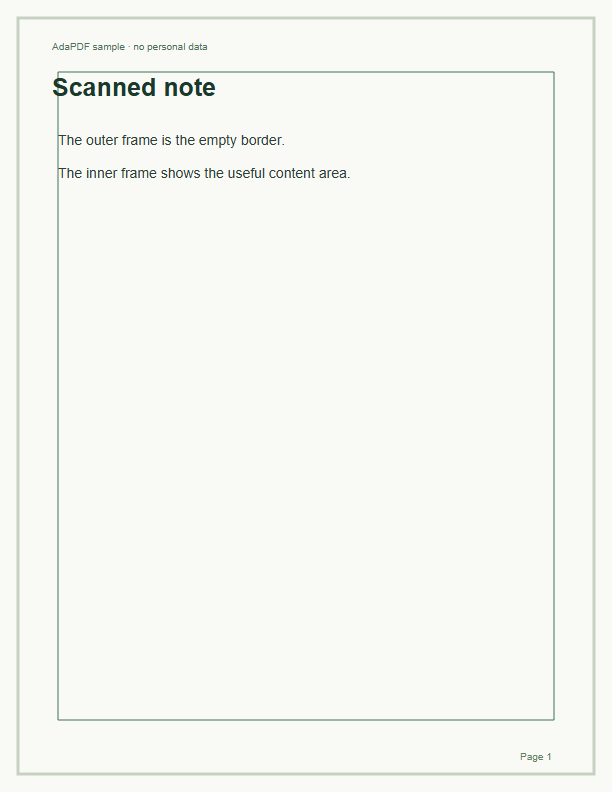
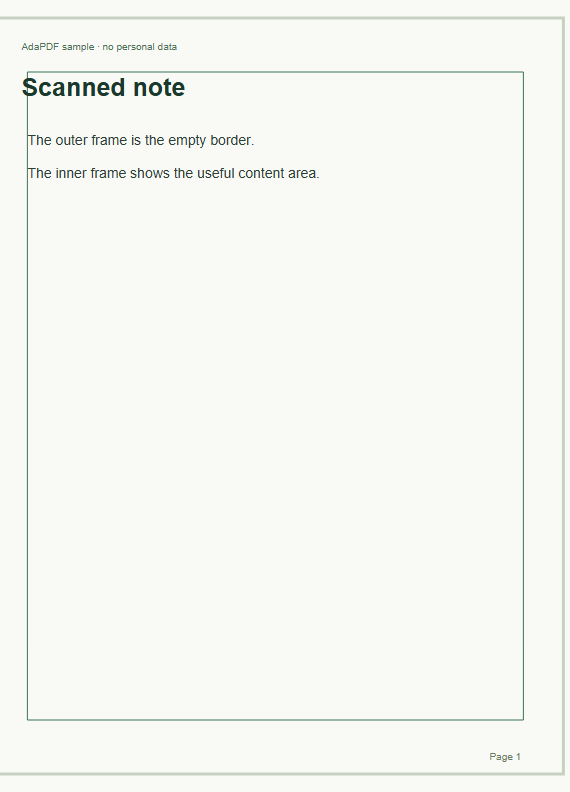
Compare the visible page borders
The result trims 5% from the left and 2% from the right. Check the edges; content outside the visible area has not been erased.
Original
Result
Compare the page previews
How to use Crop PDF
- Choose your PDF to load local page previews.
- Set the percentage to trim from each visible edge. Leave the page selection empty for all pages, or enter numbers such as 1, 3-5.
- Check the shaded preview, select Crop PDF, and download the cropped copy.
Crop PDF: frequently asked questions
How do I crop a PDF without installing software?
Choose the file in this browser tool, adjust the four crop percentages, and download the result. A value of 5 for the left edge hides 5% of that page's visible width from the left.
Can I crop only one page in a PDF?
Yes. Enter that page number in Pages to crop. You can also enter a selection such as 1, 3-5. Leave the field empty to apply the same percentage settings to all pages.
Can I permanently remove sensitive information by cropping?
No. Cropping changes the visible boundary only. Hidden content remains in the PDF and may be recovered. Use Redact PDF when you need to permanently remove marked confidential text or images; its output is an image-only copy that you must review.
Does cropping a PDF reduce file size or image quality?
Cropping keeps the visible page quality as it is. It hides the chosen edges but does not remove their underlying content, so the file may not become much smaller.
Can I crop rotated pages or remove different margins?
Yes. Top, right, bottom, and left refer to what you see in the preview. Each edge has its own percentage. A single run uses the same settings for selected pages; process separate selections for different crop amounts.
Why is my crop or PDF rejected?
Use a valid, unencrypted PDF within 50 MB and 100 pages. Values must be between 0 and 99%, and opposite edges must total less than 100% to leave a visible area. Interactive forms, bookmarks, and digital signatures may not carry over.