Rotate PDF Pages Online
Turn the page. Save it facing the right way.
Works locally · No sign-up · FreeChoose a PDF to get started.
Drag & drop a PDF here, or choose from your device.
Up to 50 MB total · 100 PDF pages · 1 fileRotate and save a PDF's page orientation
Rotate PDF pages to fix a sideways scan, turn an upside-down page, or correct only the landscape sheet in a portrait document. Choose a clockwise angle and apply it to all pages or a specific selection. Download a new PDF with that rotation stored in the file.
Unlike a temporary view rotation in a reader, the saved result opens with the new orientation. The chosen angle is added to each selected page's existing rotation. Page artwork is not converted to images, and unselected pages keep their original direction.
Best for: Anyone correcting a sideways or upside-down scan before it is read, printed, or shared.
Turn the page, not the whole document
Scroll sideways to compare all columns.
| What looks wrong | Try | Check |
|---|---|---|
| One sideways page | Select that page and turn it 90° | The page reads upright; the other pages stay as they were. |
| An upside-down page | A 180° turn | Headings and pictures face the right way. |
| A slightly tilted photo | Straighten the source in Scan to PDF | A quarter-turn will not fix a small camera tilt. |
Open the saved copy to confirm the direction. Use Crop PDF for uneven borders, or Organize PDF if the pages also need a different order.
See a sideways page corrected
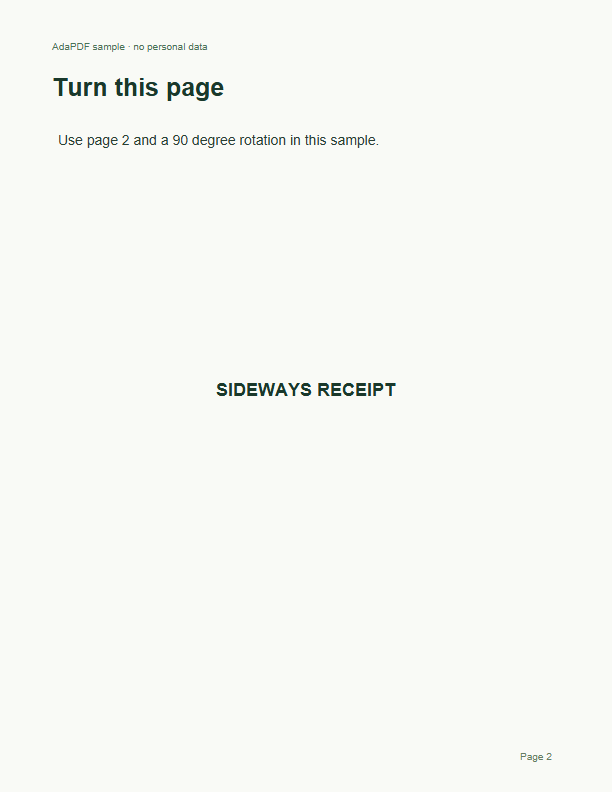
Page 2 starts sideways. The result turns it upright and leaves the other two pages unchanged.
Original
Result
Compare the page previews

How to use Rotate PDF
- Choose the PDF with pages facing the wrong direction.
- Choose 90, 180, or 270 degrees clockwise. Enter a page selection, or leave it empty to rotate every page.
- Select Rotate PDF, then download and reopen the saved file to check its orientation.
Rotate PDF: frequently asked questions
How do I rotate a PDF and save the orientation?
Choose an angle in this tool, run the operation, and download the PDF. The new rotation is saved in the downloaded file rather than just changing your current reader view.
How do I rotate only one page in a PDF?
Enter its position in Pages to rotate, for example 2, and choose the angle. For several pages, use a selection such as 2, 4-6. Leave the field empty to rotate the entire document.
Can I change a PDF from landscape to portrait?
You can rotate selected PDF pages by 90 or 270 degrees and save their new orientation. This turns the whole page, including its text and images. It does not reflow a wide layout into an upright portrait design; for that, change the layout in the source document and export it again.
How do I rotate a PDF counterclockwise?
Choose 270 degrees clockwise for the same result as 90 degrees counterclockwise. Choose 180 degrees for an upside-down page.
Will rotating pages change their text or image quality?
The page rotation is adjusted without rendering its artwork into a new image. Text and images keep their existing content. This tool rotates whole pages; it cannot rotate just a text box or one image inside a page.
Can I rotate PDF pages on a phone without an app?
Use this page in a current mobile browser, select your file, set the rotation, and save the result. The document stays on your device. For a memory-heavy scan, try a desktop browser or a smaller file.
What files can I rotate?
Use an unencrypted PDF of up to 50 MB and 100 pages. Scanned pages work without OCR. Interactive forms and bookmarks may not carry over, and editing invalidates digital signatures, so keep your original signed file.